Conversations |
  
|
Conversations |
|
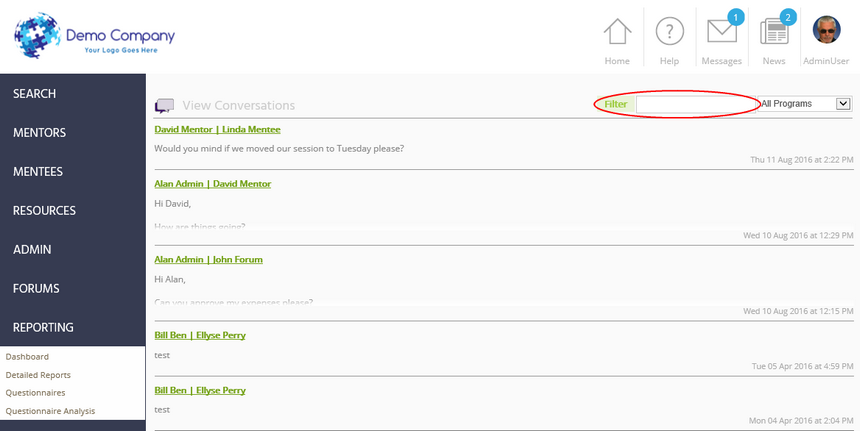
This report shows a listing of conversations between all users, and under each conversation heading it displays the latest message in the conversation.
Notes:
| ▪ | To find a particular user, type the name into the filter box at the top-right of the screen and either press Enter or click Filter. To remove the filter, simply delete the contents of the filter box and either press Enter or click Filter. |
| ▪ | Clicking on the hyperlink for a conversation opens up the full conversation and allows the administrator to read the contents of the conversation. |
| ▪ | It is possible for sfG to stop administrators from viewing the Conversations report, which means that all private messages remain confidential between the mentor and mentee. This is a security setting that is defined by sfG, so if you would like to make this report inaccessible to your administrators then please contact us. |